
Attachment Tools
Attach2Link 1.2
|
|
|
>
PROBLEM
|
> SOLUTION
|
|
You need to send emails with large attachments. Your messaging system often stops the sending because the size of your message is too
big. You have no other solution to send your email ?
|
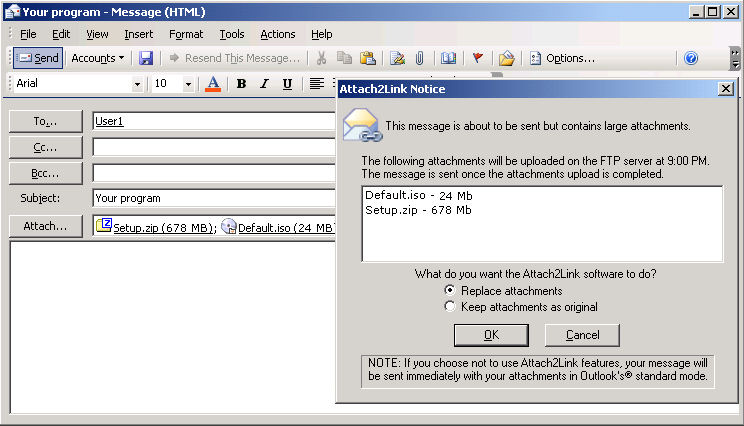
Attach2Link replaces large attachments with a "blind-link" in the message and stores the original file on a website through an FTP transfer or Web-http transfer.
Slimmed down messages can be sent without fear of rejection.
Local storage space is dramatically reduced as attachments are replaced by a link to a file remotely stored.
|
|
Description
Attach2Link transparently replaces attachments with "blind-links". The attached files are stored on a website or server of your choice.
This allows sending messages with attachments that were previously rejected by Outlook®, regardless of their size.
Attach2Link process is completely transparent to the sender and the recipient.
The "blind-link" in the sent message looks like the original attachment with the same name and icon.
The user can configure Attach2Link to select messages to be processed. Attach2Link
can be set up with the following filters:
Number of attachments
Number of recipients
Recipients list for which the processing must be applied
Confirmation of replacement processing
Time of the attachment delivery
Display of tracking messages if asked
User name and password for the delivery
For more information, please contact the sales department at sales@addonmail.com
|
|
|
|
|
|